A Kanban board in every new tab
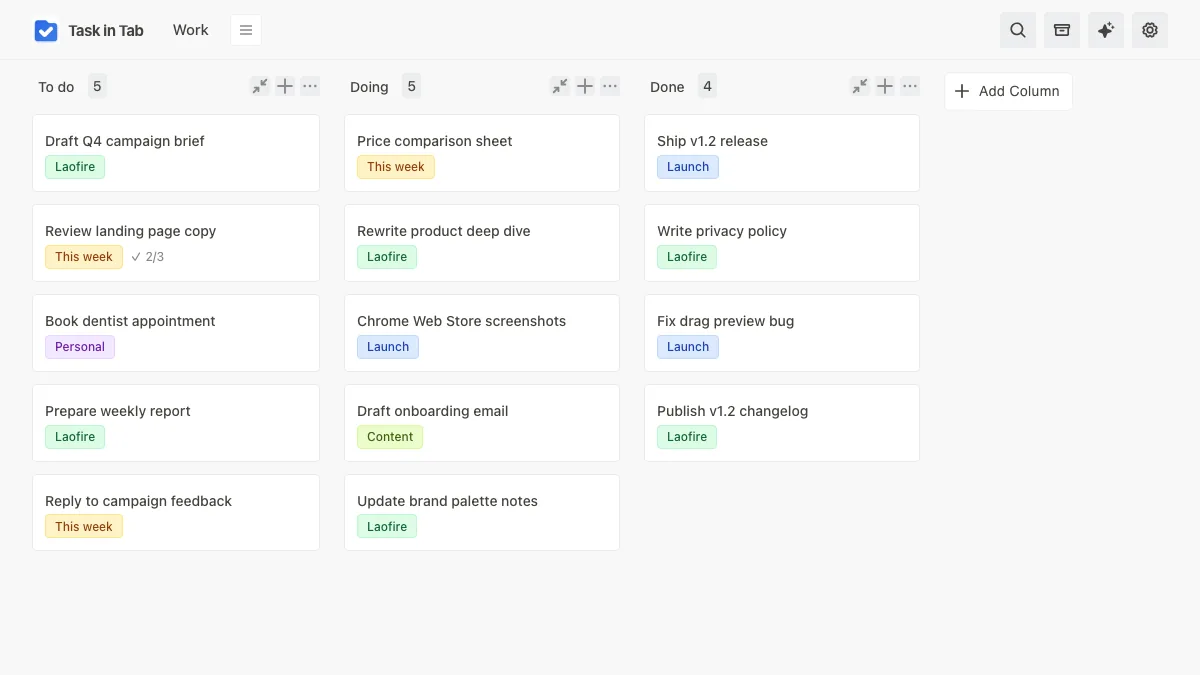
Open a tab, see your board. Capture tasks, organize columns, track progress. No sign-up, no account, no distractions.
- 100% local
- No account
- No ads or tracking
- Import and export
01 / the board
Move work the way you think.
Drag cards between columns, reorder the columns to match your workflow, and collapse the ones you are not using. Keep a separate board for work, personal, and whatever else.
Columns are yours to shape. Add, rename, and rearrange until the board reads the way your week actually runs.
02 / the card
Every detail lives inside the card
A card is more than a title. Open one and you get a full description, a checklist for the steps, labels for context, and a record of when it was created and last touched.
Nothing gets scattered across separate notes or documents. The task carries its own history.
Tighten the hero section and cut the paragraph to two sentences. Keep the local-storage claim in the first screen.
04 / nothing gets lost
Finished work leaves the board, not your history.
Archive cards instead of deleting them, then restore anything later. If you really mean it, delete it for good. Nothing disappears by accident.
Export every board as JSON when you want a backup, and import it on another machine. Your data stays portable, not locked in.
05 / the rest
Everything a task manager should be, without the bloat
Reorder checklist items
Drag checklist items into the order you want. Existing text, checked state and ordering are preserved.
Duplicate a card
Right-click any card to duplicate it, then adjust the copy instead of retyping the whole thing.
Calm, polished labels
Categorize tasks with labels that look clean and professional. No visual clutter, just useful colour coding.
Light, dark or system
Pick a theme or follow your system setting. The board, cards and dialogs all switch with it.
Works offline
Once installed, the board keeps working without a connection. Nothing needs a round trip to load.
Keyboard shortcuts
Press / to search, move with the arrow keys, hit Enter to open. Escape closes anything you opened.
Task in Tab, in plain answers
What it does, how it works, and what happens to your data.
What is Task in Tab?
Is my data safe?
What happens if I uninstall it?
Does it work offline?
Is it really free?
Your tasks deserve better than sticky notes
No sign-up, no credit card, no data collection. A clean board in every new tab.
Add to Chrome — It's free